Learn a language
on your lock screen.
Lock-screen language learning turns the moment you open a distracting app into a five-second vocabulary review. Instead of setting aside study time, you meet one word each time you reach for Instagram, TikTok or X — and since the average phone is unlocked around 144 times a day, those seconds compound into real practice. The method pairs a habit you already have with spaced repetition, the memory technique behind flashcards.
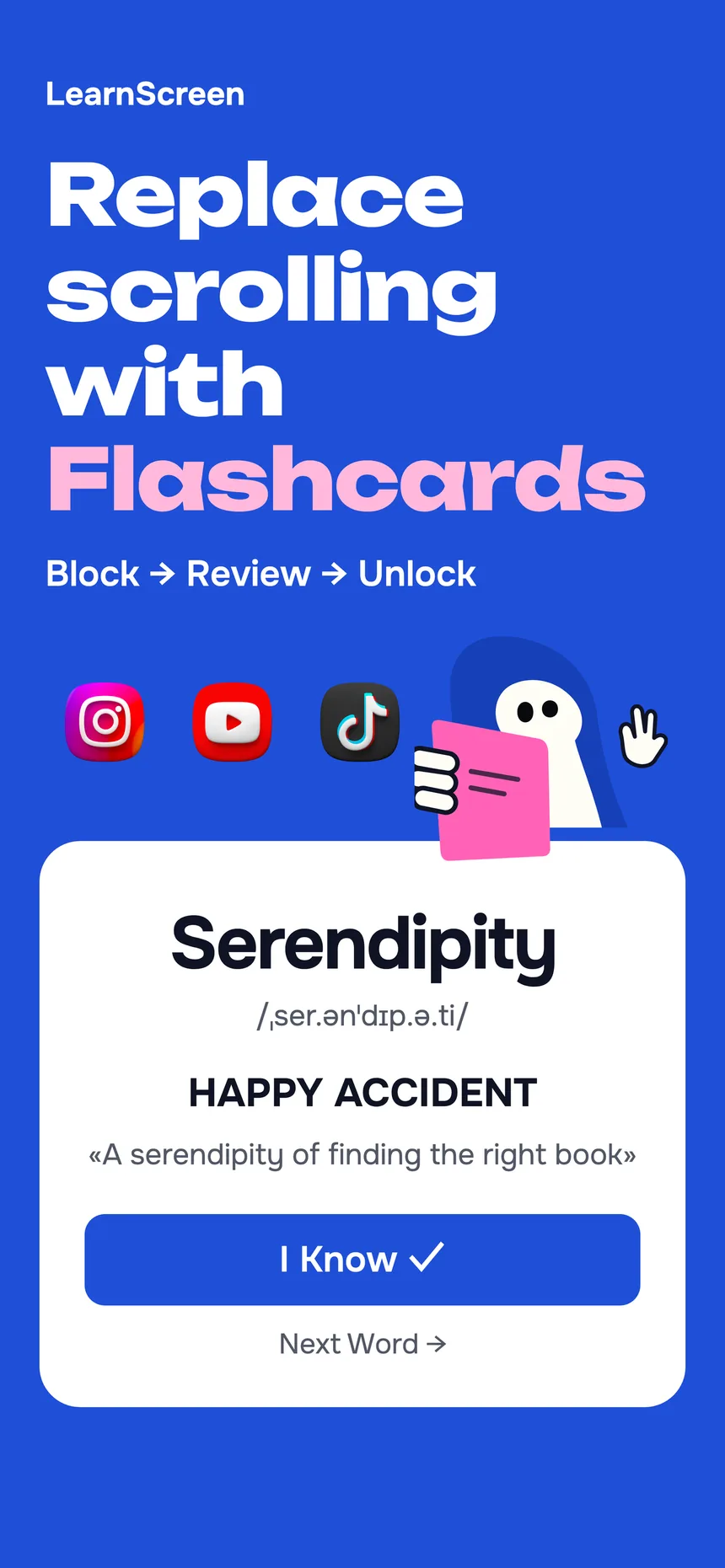
On iPhone, LearnScreen is the app that does exactly this — it uses Apple’s Screen Time shield to place a flashcard where the app would have opened. The rest of this page explains how the approach works, who it suits, and how it compares to lesson and flashcard apps.

What is lock-screen language learning?
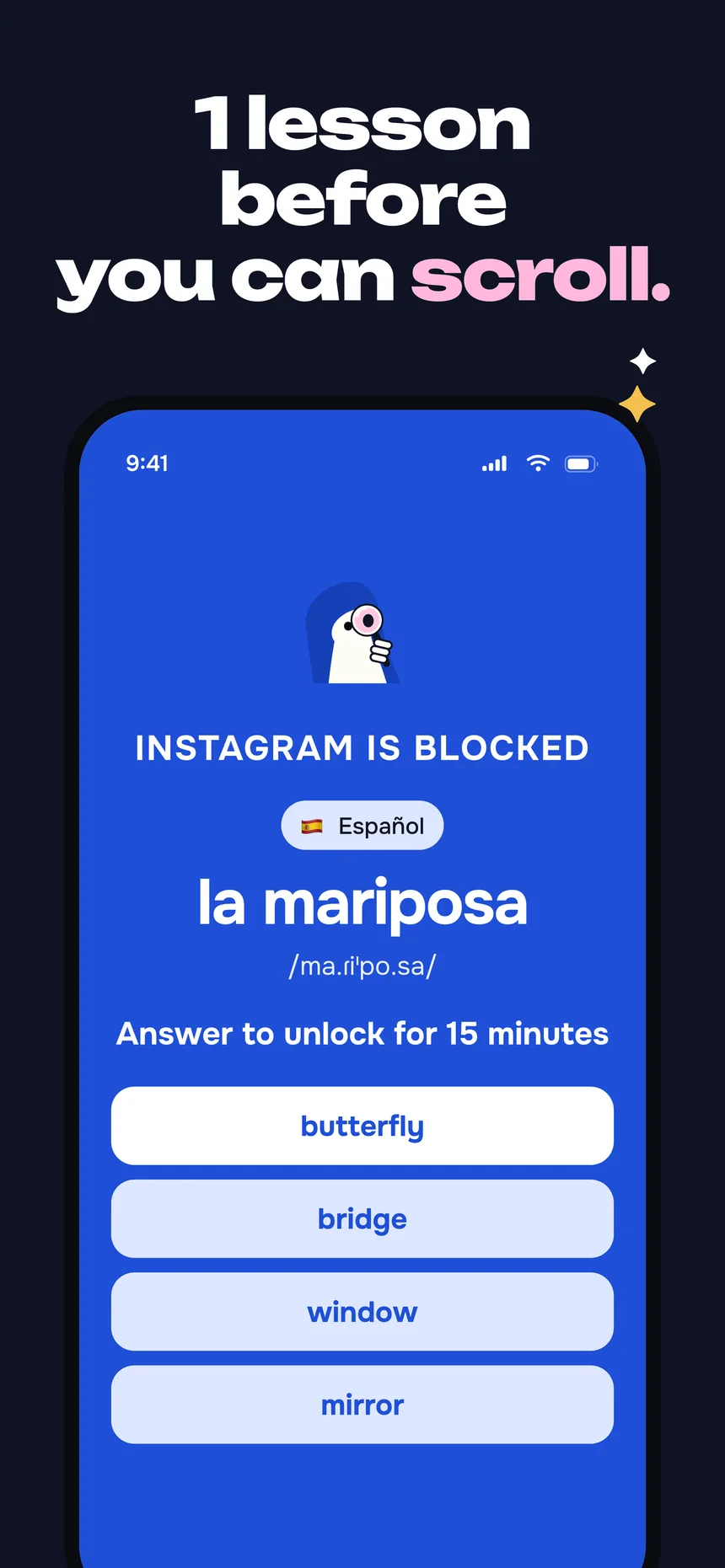
Lock-screen language learning means studying vocabulary on the screen that appears when you try to open a locked app — not in a separate study session. Instead of remembering to practice, you meet a word at the exact moment you reach for a distraction.
LearnScreen builds this on Apple’s Screen Time (FamilyControls) API. You pick the apps to lock; the system draws a full-screen shield over them — a lock screen for your distractions — and LearnScreen fills that shield with a flashcard. Because the block runs at the operating-system level, there’s no VPN or DNS trick to slip past it.
The science underneath is active recall plus spaced repetition. LearnScreen uses the Leitner system: a word you get wrong comes back soon, a word you nail backs off geometrically. Short, frequent reviews spread across the day beat one long cram session for long-term memory — and your phone hands you dozens of those short reviews for free.
How the lock screen teaches you
Three steps, then it runs itself. You never open LearnScreen to study — the study opens in front of you.
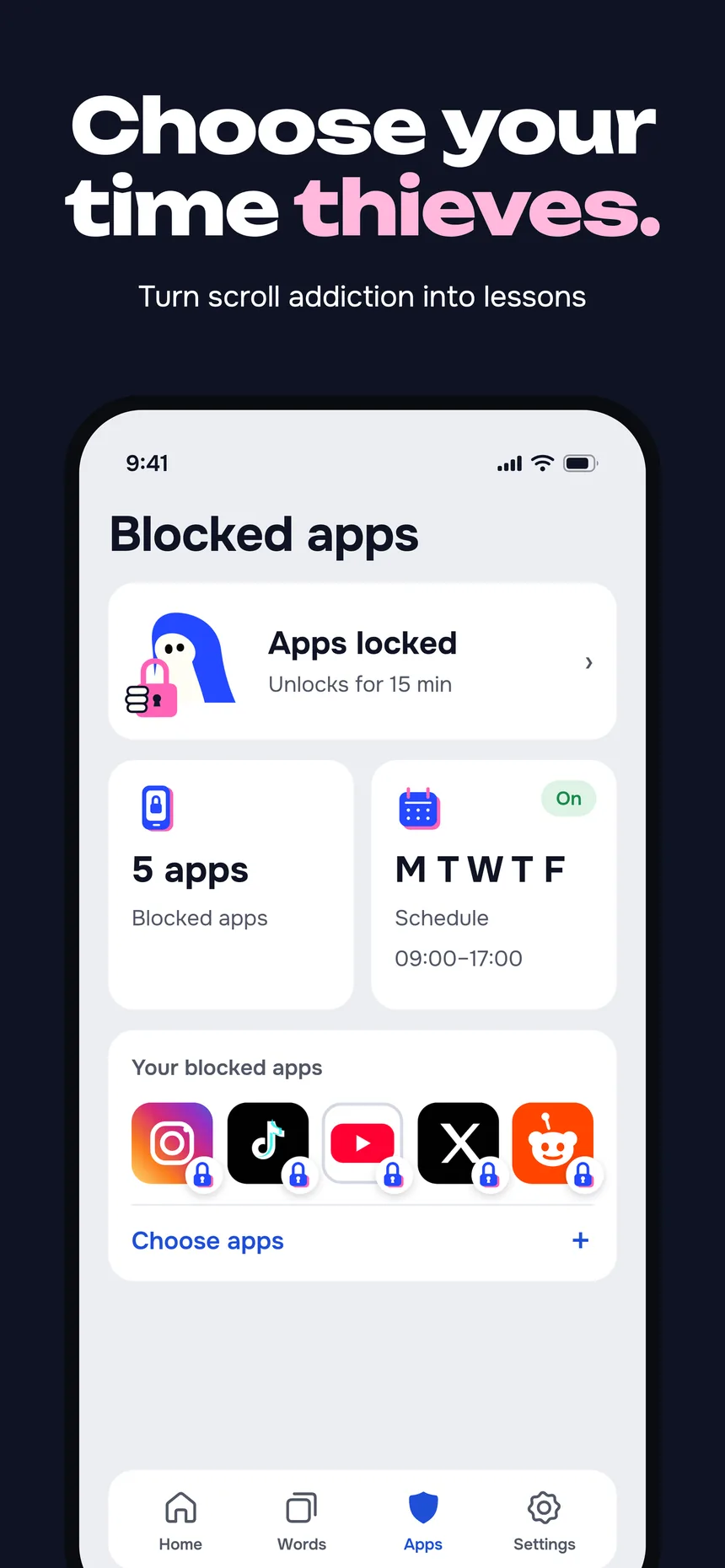
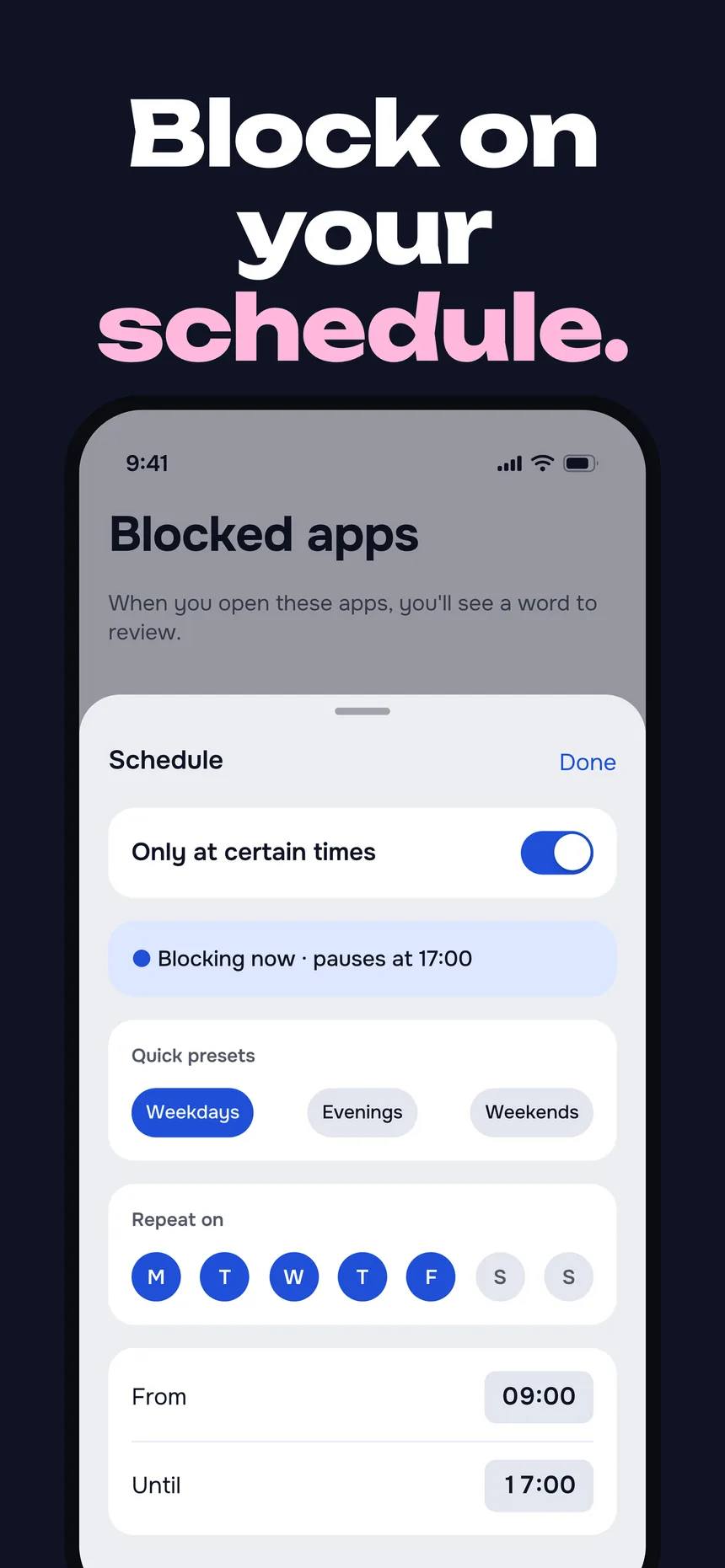
Choose which apps to lock
Pick the apps or whole categories that pull you in — Instagram, TikTok, X, games. LearnScreen shields them with Apple’s Screen Time API.
A flashcard locks the screen
Next time you open a locked app, a vocabulary card appears on the shield instead of the feed. Tap “I know” or “I don’t know.”
Answer and the app unlocks
Get it right and the app opens for the window you set. Spaced repetition schedules when the word returns — all in the background.
Lock-screen learning vs. the alternatives
A lesson app waits for you to show up. An app blocker just stops you. Lock-screen learning does both jobs at once.
| Approach | Requires you to start? | What the block time becomes | Memory method |
|---|---|---|---|
| LearnScreen (lock-screen learning) | No — appears when you open a locked app | Vocabulary practice | Active recall + Leitner spaced repetition |
| Lesson apps (e.g. Duolingo) | Yes — you open the app and start a lesson | N/A — separate from phone habits | Streaks + structured lessons |
| Flashcard apps (e.g. Anki) | Yes — you open the app to review | N/A — separate from phone habits | Spaced repetition (you must remember to run it) |
| App blockers (e.g. Screen Time, one‑sec) | No — the block is automatic | Nothing — the block just stops you | None |
Comparison reflects each tool’s core design. See the deeper Anki comparison and the productive screen-time angle.
Why the lock screen
is the perfect classroom
It meets you where you already are
You don’t have to remember to study. The review sits on the exact screen you were about to open anyway — zero willpower to start.
Frequency that builds memory
Dozens of pickups a day means a word can reappear at just the right interval. Leitner spaced repetition uses that rhythm to lock words into long-term recall.
A block you can’t sneak past
The shield runs on Apple’s FamilyControls API at the OS level. No VPN or DNS workaround — so the learning moment actually happens.
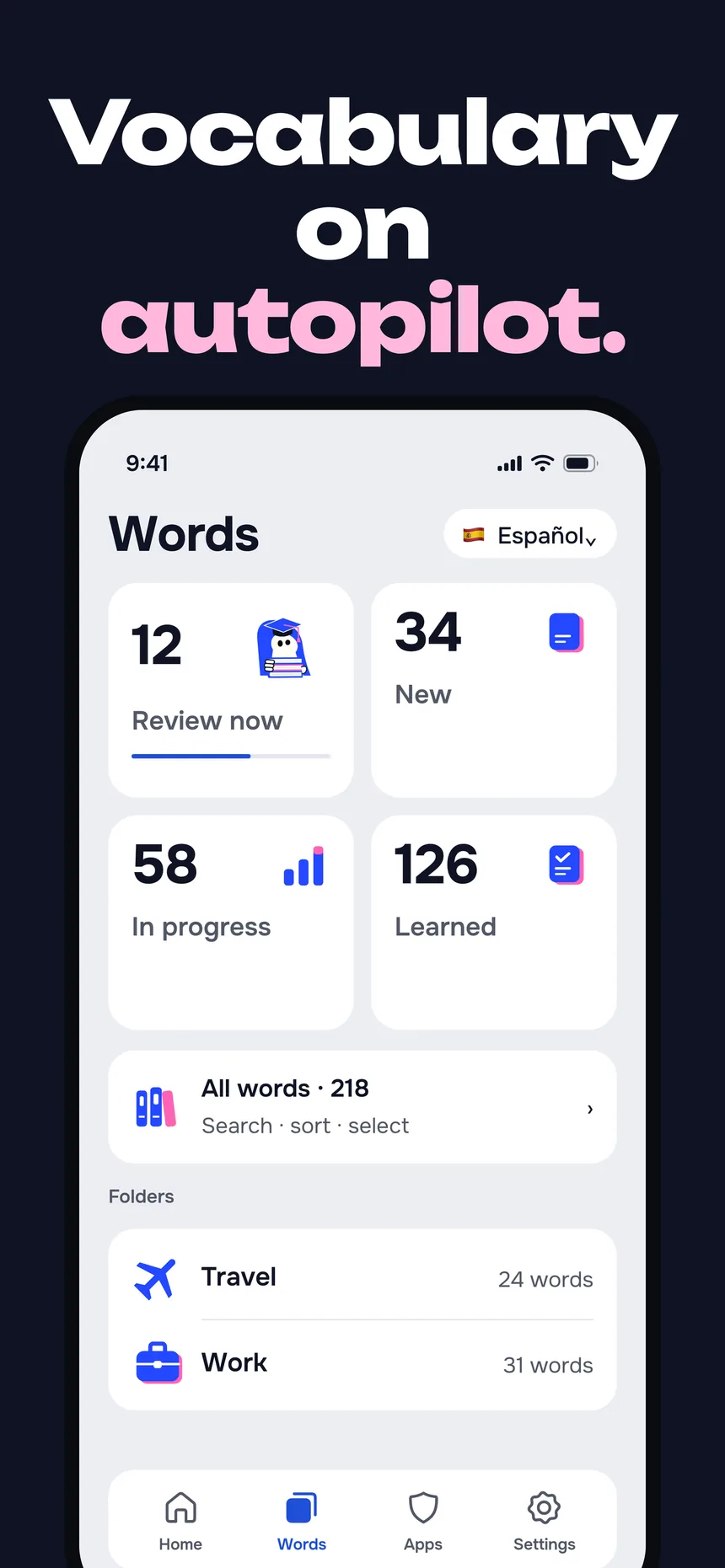
11 languages, 1,080+ words
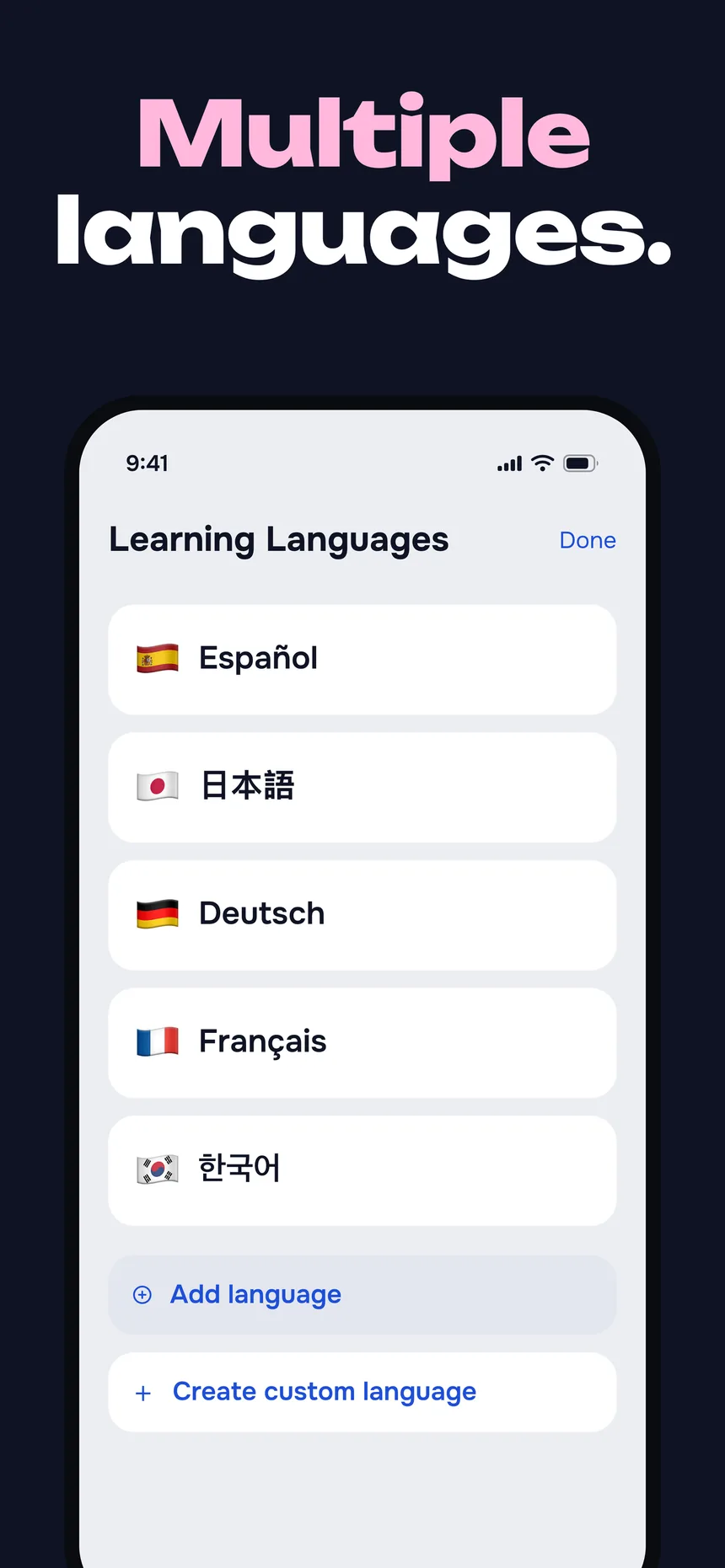
Curated vocabulary across 18 topics in English, German, Spanish, French, Italian, Japanese, Korean, Polish, Portuguese, Russian and Chinese — plus unlimited custom words.
Works offline, no account
Flashcards and the shield run fully offline once installed. No signup, no email — and optional backup goes to your own private iCloud, never our servers.
Wasted scroll time, reclaimed
The same phone habit that used to drain your day now compounds into a vocabulary. Nothing extra to schedule — just a different outcome.
Who lock-screen learning is for
- Heavy phone users who unlock dozens of times a day and want that habit to compound into a language.
- Busy learners who never find a spare hour but always find their phone.
- Lapsed streakers who start strong on lesson apps and then quietly stop opening them.
- Polyglots tracking more than one language — directories are language-aware.
- Anki fans who love spaced repetition but forget to review — see the passive Anki alternative.
Lock-screen learning FAQ