Make your screen
time count.
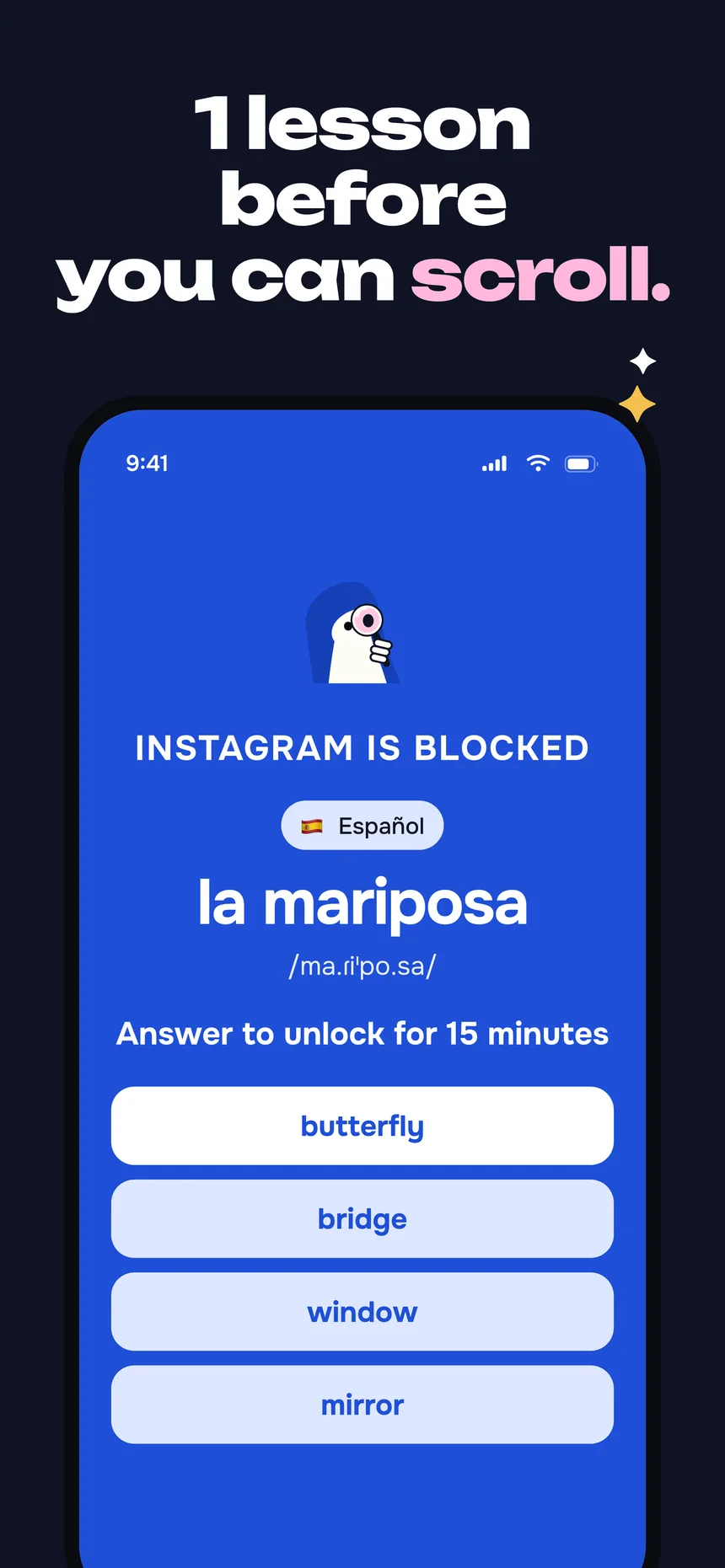
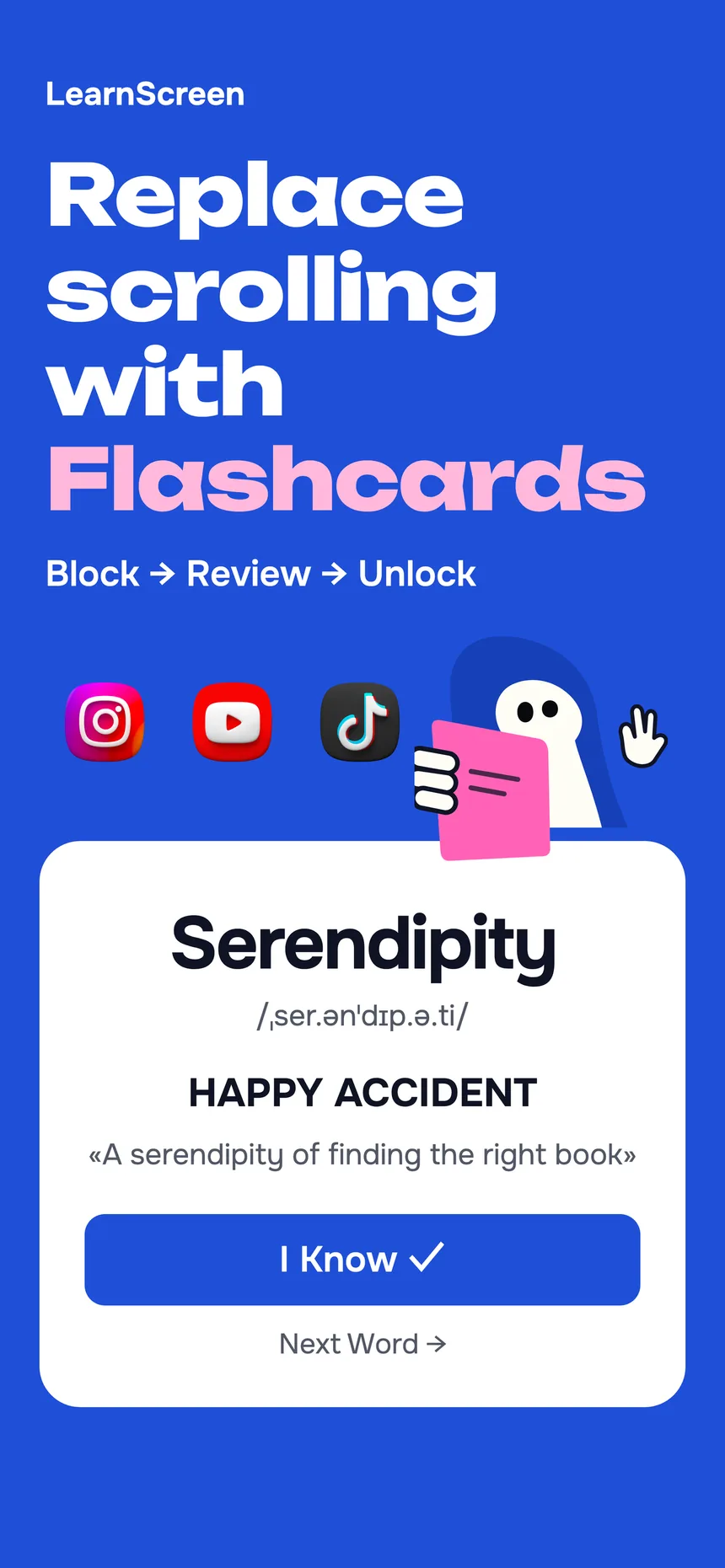
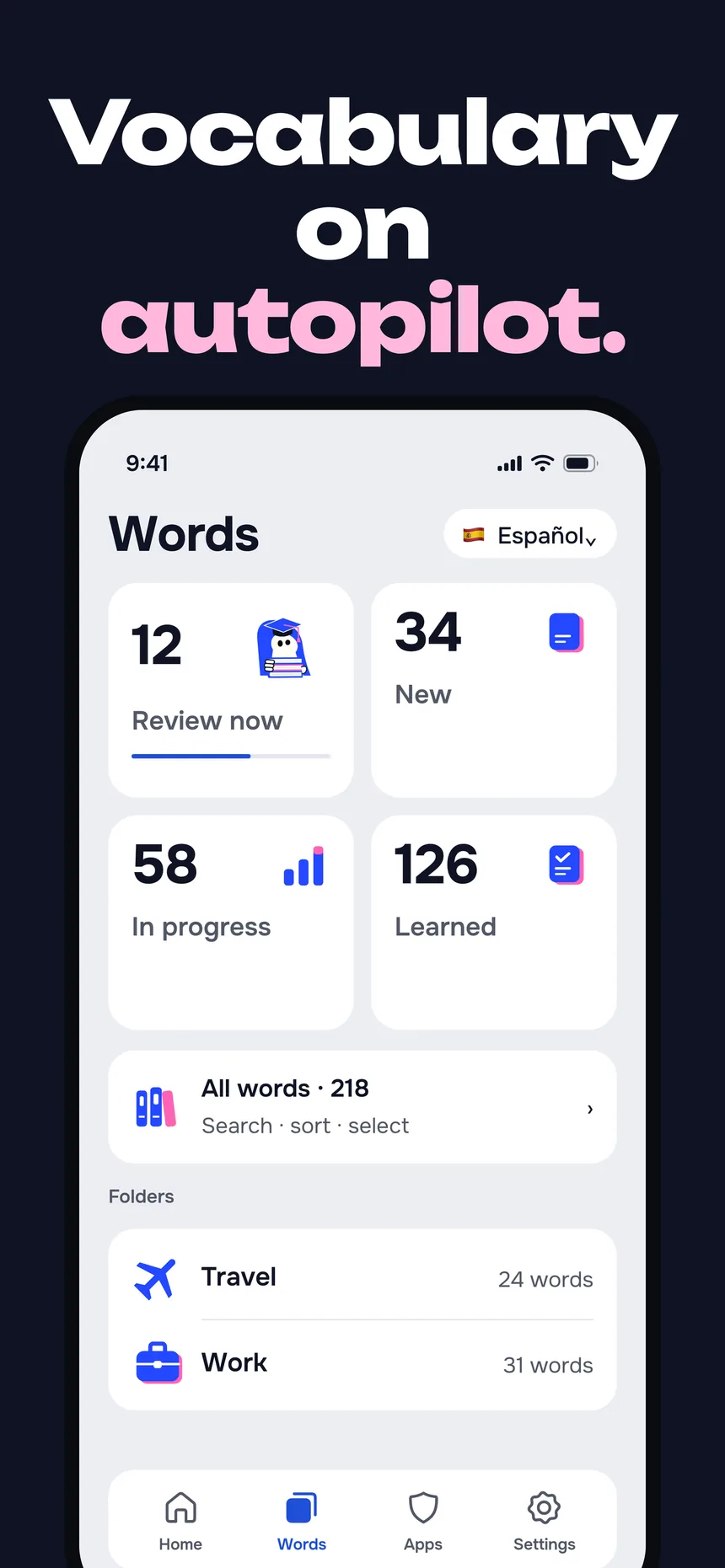
LearnScreen blocks the apps you doom-scroll and shows a vocabulary flashcard the moment you open one. Answer it, the app unlocks — so the minutes you’d lose to a feed teach you a language instead. No study session, no willpower.
Free to start · No account · 100% offline

What is productive screen time?
Productive screen time is phone time that leaves you with something to show for it. The average person unlocks their phone dozens of times a day and pours hours into feeds that give nothing back. Most “digital wellbeing” tools try to shrink that number by blocking apps — but a blank block screen is easy to tap through, so the time just leaks elsewhere.
LearnScreen takes the opposite approach: it keeps the block, then fills the blocked moment with a five-second vocabulary review. You don’t fight the habit of reaching for your phone — you redirect it. The reach that would have started a scroll starts a flashcard instead.
Because the review rides on a habit you already have, there’s nothing new to remember to do. That’s what turns idle screen time into learning without adding a task to your day.
How LearnScreen turns
screen time into learning
Three steps, then it runs in the background of your normal phone use.
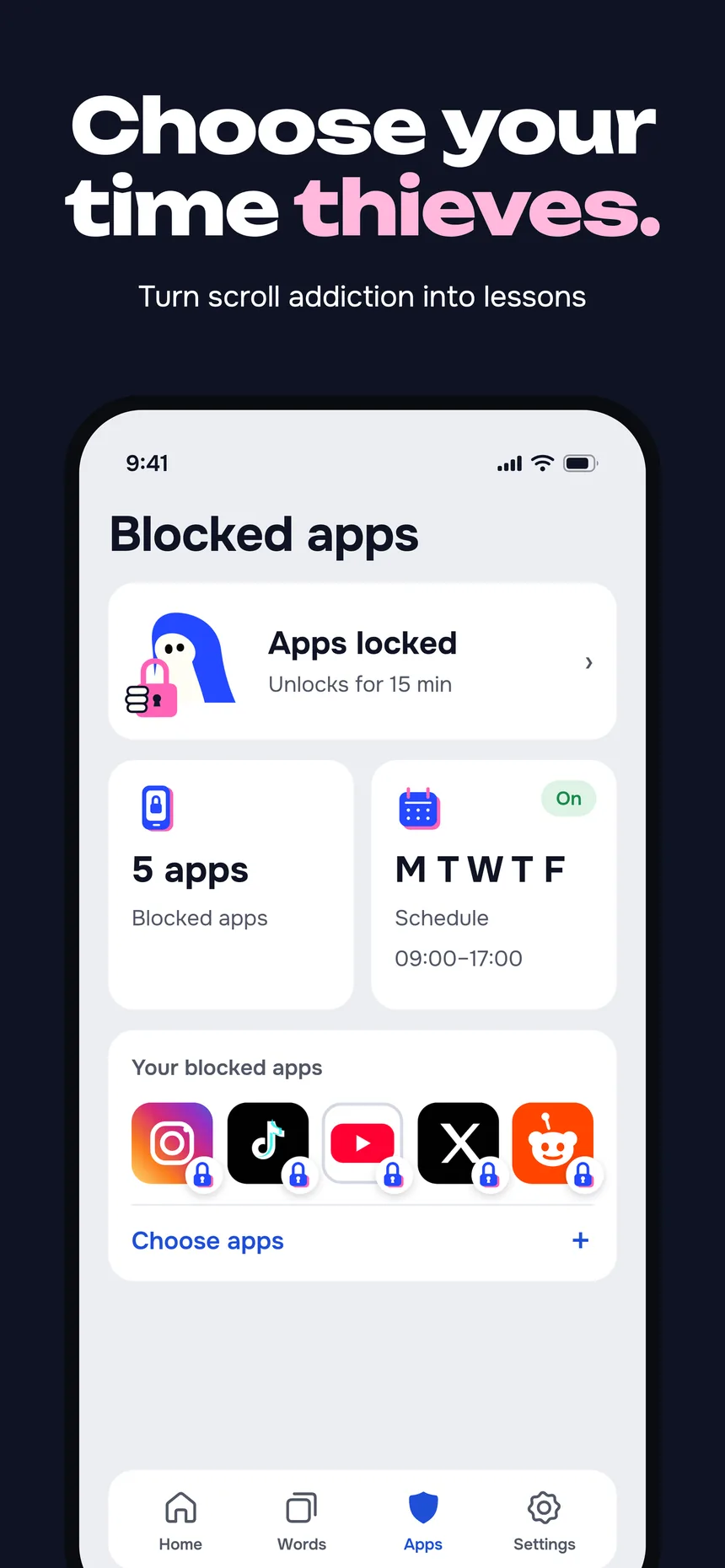
Pick the apps that drain you
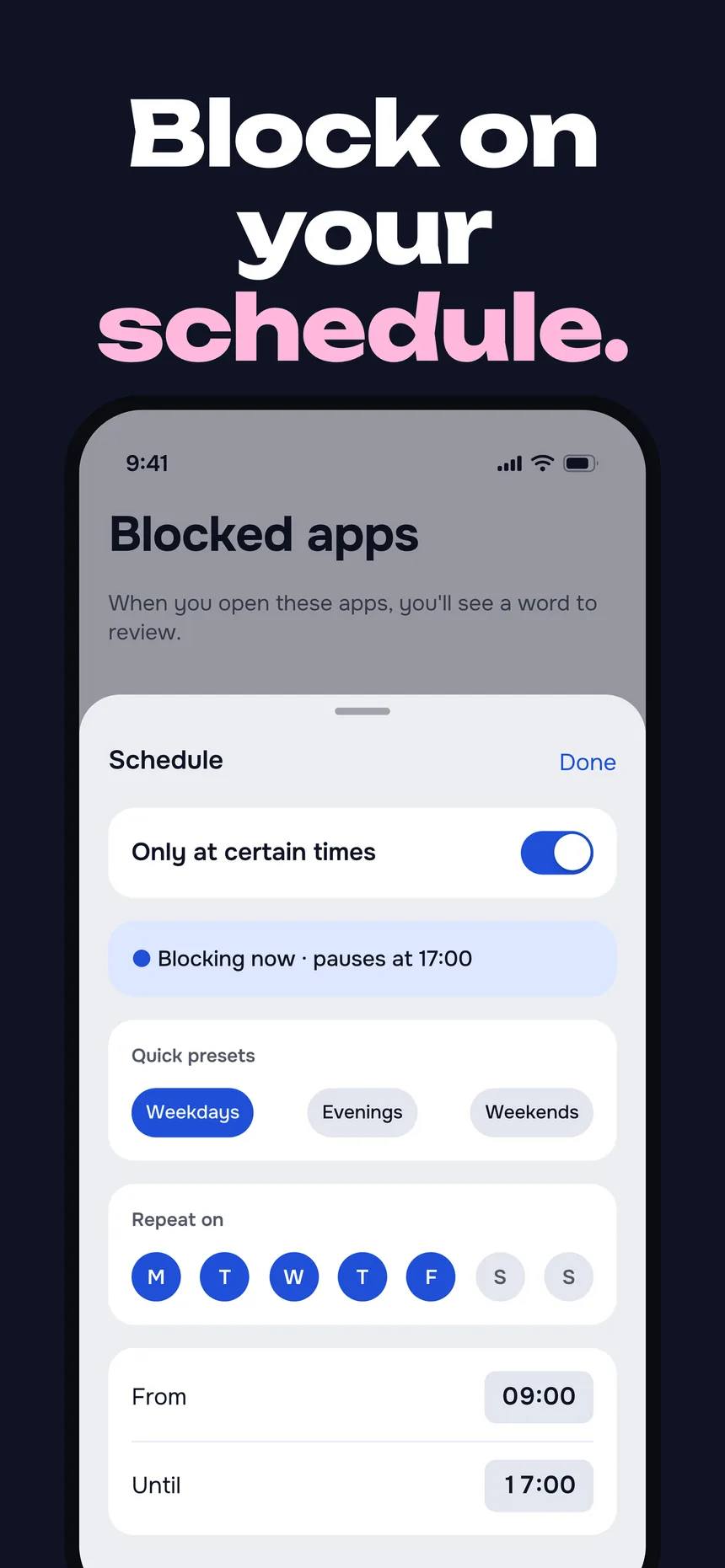
Choose any apps or whole categories — Instagram, TikTok, X, games. LearnScreen shields them at the OS level with Apple’s Screen Time (FamilyControls) API, so there’s no VPN or DNS trick to bypass it.
A flashcard opens first
Next time you open a blocked app, a vocabulary card greets you instead of the feed. Answer “I know” and the app unlocks for the window you set; “I don’t know” keeps it shielded and shows the word again later.
Words compound in the gaps
Spaced repetition (the Leitner system) picks each word, surfacing the ones you forgot before the ones you know. Dozens of pickups a day become dozens of tiny reviews — no session ever scheduled.
Block-only apps vs.
LearnScreen
Screen Time, Opal and one-sec are good at stopping distraction. The difference is what happens in the second after the block.
| Capability | Screen Time / Opal / one-sec | LearnScreen |
|---|---|---|
| Blocks distracting apps | Yes | Yes |
| Runs at the OS level | Yes (varies by tool) | Yes — Screen Time API |
| Fills the blocked moment | No — blank block screen | Yes — a vocabulary card |
| Teaches a language | No | 11 languages, 1,080+ words |
| Spaced repetition | No | Yes — Leitner system |
| Needs a separate study app | — | No — learning comes to you |
Comparison reflects the core design of each tool: block-only apps end at the block; LearnScreen adds a productive step inside it. See the Anki comparison for the spaced-repetition side, and how to stop doomscrolling for what the experiments on blocking, limits and friction found.
Why redirected screen time
beats blocked screen time
The block earns its place
A blank block screen feels like punishment, so people disable it within days. A flashcard gives the block a payoff, which is what makes it stick.
Frequency that sticks
Seeing a word for five seconds across dozens of daily pickups builds stronger recall than one long cram session. Spaced repetition spaces the reviews for you.
Hours reclaimed, not just cut
The two-plus hours a day that vanish into feeds become vocabulary practice. Same phone habit — a very different thing to show for it.
11 languages, 1,080+ words
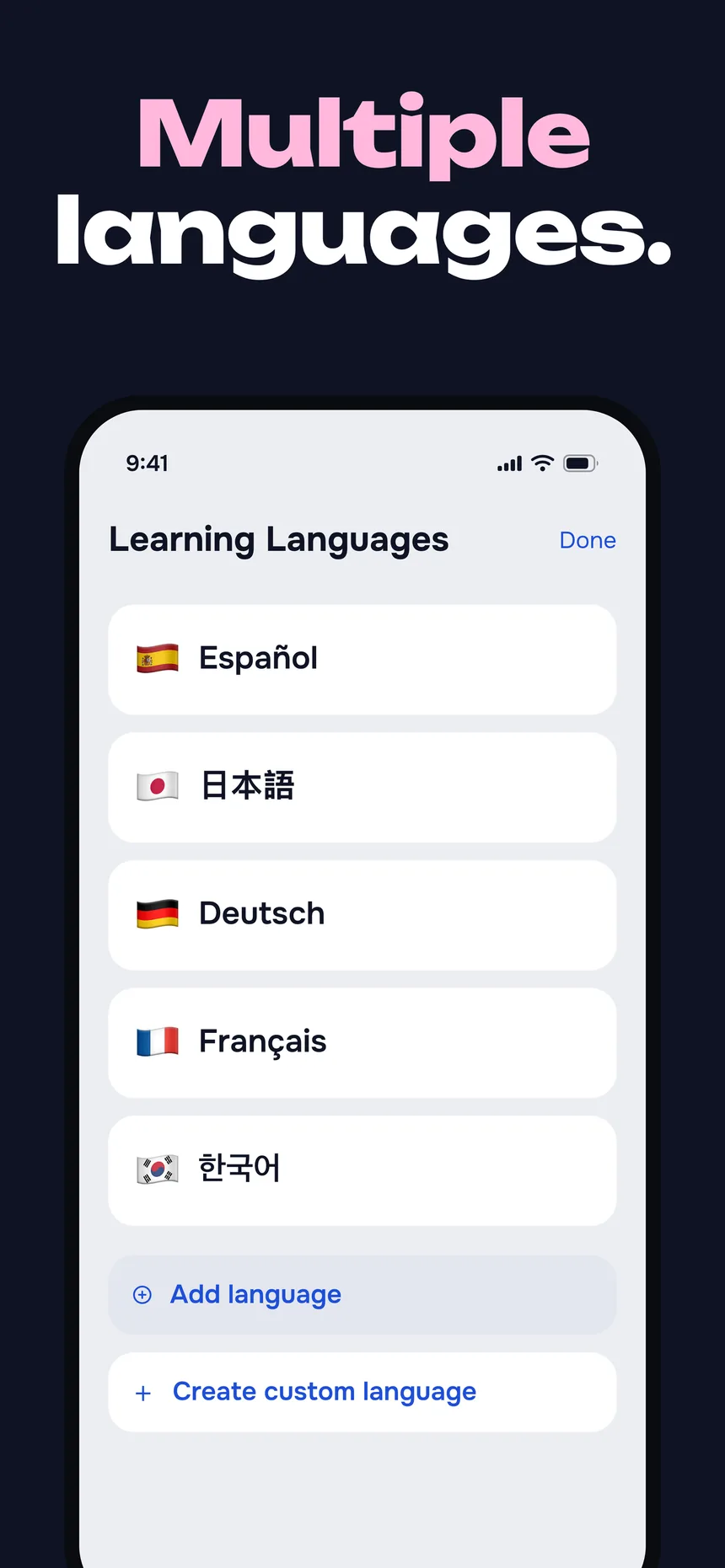
Curated vocabulary across 18 topics in English, German, Spanish, French, Italian, Japanese, Korean, Polish, Brazilian Portuguese, Russian and Mandarin Chinese — plus your own custom words.
Who this is for
- Heavy phone users who want their 2+ hours of daily screen time to compound into something.
- People who’ve tried block-only apps and tapped through the blank block screen within a week.
- Language learners who start strong on lesson apps but lose the daily streak — try passive learning instead.
- Anyone doing a dopamine detox who wants the reclaimed time pointed at a goal, not just removed.
- Anki users who love spaced repetition but never open the app — see the passive Anki alternative.
Productive screen time FAQ
Turn today’s scroll
into a language
Start with a 7-day free trial. No account needed.
Download for iOS